MorphOS : : Public Release of MorphOS 3.20
Posted By: ASiegel. on 2026/5/30 13:29:02
Public Release of MorphOS 3.20

The MorphOS development team is proud to announce the public release of MorphOS 3.20! This release brings major advancements across the operating system, including new hardware support, extensive graphics and 3D improvements, new utilities, filesystem enhancements, and broad modernization work throughout the platform.

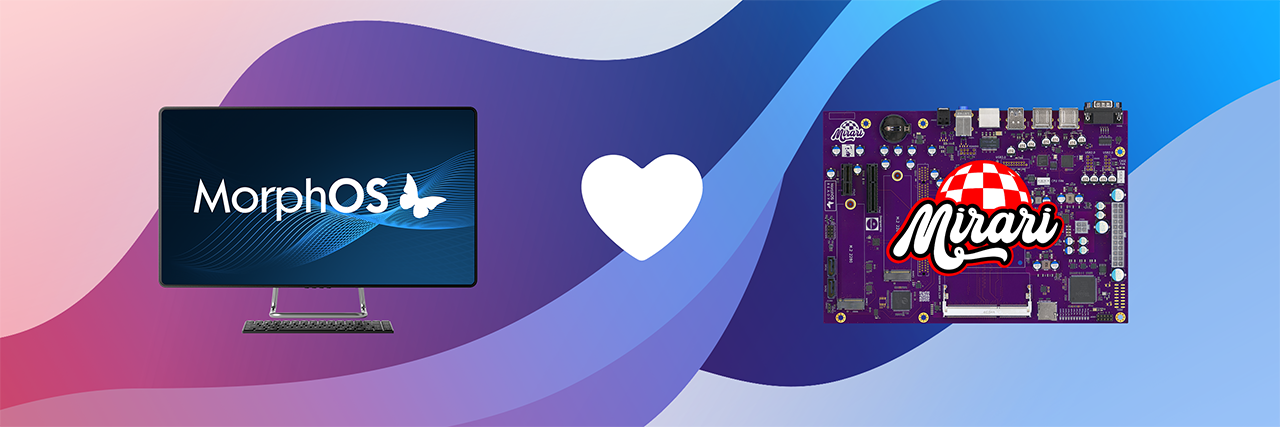
MorphOS 3.20 introduces support for the new Mirari architecture together with several dedicated system components, drivers, thermal management support, and updated networking functionality. Radeon graphics support has been significantly expanded with support for additional GPU families, improved HDMI, DVI and DisplayPort handling, enhanced multi-monitor support, improved 3D compatibility, and major updates to TinyGL and Radeon drivers for better rendering performance and stability.

This release also introduces SFS2 support across the operating system, enabling support for files larger than 4GB and partitions up to 2TB. Many filesystem components and utilities have been updated for nanosecond timestamp precision and dates beyond year 2038. Ambient received numerous usability, performance and stability improvements, including enhanced icon handling, improved search functionality, better drag-and-drop support, external panel support, and updated multimedia format handling.

Several new applications and utilities are included in MorphOS 3.20, such as DriveImager, MirrorBackup, SMARTDoctor, OFHTTP, OFHash, OFDNS, Replace, and Automator for scripting and controlling MUI applications. Iris has been updated to version 1.53 and now includes the new Contacts companion application for CalDAV-based address books. FlowStudio received extensive improvements for project management, printing, Markdown support, and development workflows.

Networking and connectivity have also been improved with updates to OpenSSH 10.3p1, TLS 1.3 support in RDesktop, expanded SMB2 filesystem improvements, and improved USB, audio and multimedia subsystem stability. Numerous system libraries and frameworks including MUI, ixemul, Cairo, Harfbuzz, Freetype, OpenSSL4, and ObjFWRT have been updated or significantly modernized.

MorphOS 3.20 additionally contains a very large number of bug fixes, performance improvements, memory handling corrections, rendering fixes, and usability refinements across the operating system. For a complete overview of the changes included in MorphOS 3.20, please read the release notes.

We strongly urge new users to carefully read our installation and troubleshooting guides before they attempt to install MorphOS for the first time. Existing users can upgrade via the familiar procedure but are encouraged to read the guides as well. MorphOS 3.20 is available for download in our files section.

 
  • MorphOS Developer
    itix
    Joined: 2003/2/24
    Posts: 1521
    From: Finland
    I have to find the missing PSU for my PowerBook. It has been an eternity...!
  • »2026/5/30 16:03
    Profile
  • Priest of the Order of the Butterfly
    Priest of the Order of the Butterfly
    tolkien
    Joined: 2013/5/29
    Posts: 566
    From:
    Thanks sooooooo much for this update. Great work as always, team!
    MorphOS: PowerMac G5 - PowerBook G4 - MacMini.
    Classic: Amiga 1200/060 - A500 PiStorm
  • »2026/5/30 17:29
    Profile
  • Andreas_Wolf
    Joined: 2003/5/22
    Posts: 12529
    From: Germany
    "Radeon graphics support has been significantly expanded with support for additional GPU families"

    Not yet reflected in the official hardware compatibility list, right?
  • »2026/5/30 17:42
    Profile
  • Moderator
    Kronos
    Joined: 2003/2/24
    Posts: 2560
    From:
    Using the image of an unfinished Mirari.

    How fitting ;)
  • »2026/5/30 17:58
    Profile
  • MorphOS Developer
    cyfm
    Joined: 2003/4/11
    Posts: 605
    From: Germany
    Quote:

    Using the image of an unfinished Mirari.

    How fitting ;)


    Blame skateman for that as he provided the original imagery. I guess it isn't the plan to deliver the boards to users that way ... ;)
  • »2026/5/31 4:12
    Profile Visit Website
  • Order of the Butterfly
    Order of the Butterfly
    Daff
    Joined: 2003/4/5
    Posts: 250
    From:
    "improved search functionality"

    @Kronos
    Which improvement?

    The search window seems to be the same: no search by date or by size, can't copy/rename/delete results, can't multiselect results...

    Wasn't an Ambient-like window planed?
    Obligement - L'Amiga au maximum
    http://obligement.free.fr
  • »2026/5/31 14:34
    Profile Visit Website
  • Moderator
    Kronos
    Joined: 2003/2/24
    Posts: 2560
    From:
    Quote:

    "improved search functionality"

    @Kronos
    Which improvement?

    The search window seems to be the same: no search by date or by size, can't copy/rename/delete results, can't multiselect results...

    Wasn't an Ambient-like window planed?


    A lot of things were planned but so far I have only gotten around Panel related stuff.
    So no changes to search by me.
  • »2026/5/31 16:24
    Profile
  • Paladin of the Pegasos
    Paladin of the Pegasos
    NewSense
    Joined: 2012/11/9
    Posts: 1596
    From: Manchester, UK/GB
    I read that there was new support for the iMac (iSight) G5 (A1144 & A1145) models' small infrared remote control(s), but that scant detail was only mentioned, extremely briefly, in the "USB HID" section of the "Features" overview, but that one-line mention has not received any further explanation or updated information that would explain it's integration with MorphOS v3.20?  :-?
    MacMini 1.5GHz,64MB VRAM, PowerBooks A1138/9 (Model 5,8/9),PowerMac G5 2.3GHz(DP), iMac A1145 2.1GHz 20", all with MorphOS v3.19+,Airport,Bluetooth,A1016 Keyboard,T-RB22 Mouse,DVD-RW-DL,MiniMax,Firewire/USB2 & MacOSX 10.4/5
  • »2026/6/4 14:25
    Profile
  • MorphOS Developer
    zukow
    Joined: 2005/2/9
    Posts: 652
    From: Poland
    btw. i was MIA in the time release notes were made so some of my stuff is already on ISO but not in RN (Minipro tool for eprom burners and some of reggae classes).
  • »2026/6/4 17:42
    Profile Visit Website
  • Paladin of the Pegasos
    Paladin of the Pegasos
    NewSense
    Joined: 2012/11/9
    Posts: 1596
    From: Manchester, UK/GB
    @ zukow - then maybe now would be as good time as ever to add your RN for your own stuff or we'll maybe never get to know what extras you specifically added and what they do in v3.20?  8-)

    I forgot to add/ask a question I had about SCANdal v11.0 and why is the scanning window still not resizeable?  :-?

    As this is a weak point in the usefulness of the size of screen you can open? This means that the scanned visible area, thus its magnification and your precise ability to view an image from a more accurate area from a supported flatbed scanner is not possible. As the size of screen should allow the window to be larger, so you should naturally get a larger (zoomed-in) view, by virtue of opening a larger screen, and thus a larger scan window on a document without even using the zoom feature. The zoom feature is another feature that does not work so well, as the zoom buttons are preset sized, so there is no precise or accurate zoom allowed as it needs to be finely adjustable, with a number input for more precise selection of magnification required, as well as allowing easy dragging of the intended scan area in the window when zoomed in, which is not enabled in the GUI's capabilities.

    The lack of these features, and the inability of the GUI gadgets for "Settings" and "Scan and Save" to resize automatically, or be allowed to be both smaller horizontally as well as taller vertically, is IMHO "spoiling" the overall use of SCANdal's minimum sized window of 861x776, with the 469x643 (approx.) sized scan area (including its rulers and scroll gadgets) to allow a user to make the most of what should be possible to fit within a larger screen size choice.

    The scanned area should be allowed to be scrolled better in the scan window when a much larger scan is being positioned, ideally by mouse left or right click held-down and the area dragged accurately to where it needs to be positioned. This includes the framing method as when you get to the bottom of the scan area the corner and middle bounding boxes are virtually out-of-view on the lower axis, so you cannot tell if you have the image within the frame, or if some of it is still not going to be scanned. This is not quite as relevant to the top, or sides of the scan window when you are zoomed in.

    If you drag a bounding box off the screen, in a zoomed state, to any direction of the scan window, with an available area to the left, right, top or bottom then when you bring the mouse (4-pointed cursor) back onto screen it is now out-of-sync with the bounding box, which is still off screen initially, until the 4-pointed cursor gets to about half-way onto the scan window, so by the time the bounding box is fully back in view the 4-pointed cursor is out of the scan window a way further on from the bounding box. It is as though the cursor is attached when you drag it off screen, and allows it to be dragged to its furthest point in the scan window, but the cursor loses "connection" to the bounding boxes holding point and so ends up out-of-sync in the scan area!

    [ Edited by NewSense On 2026/6/5 7:33 ]
    MacMini 1.5GHz,64MB VRAM, PowerBooks A1138/9 (Model 5,8/9),PowerMac G5 2.3GHz(DP), iMac A1145 2.1GHz 20", all with MorphOS v3.19+,Airport,Bluetooth,A1016 Keyboard,T-RB22 Mouse,DVD-RW-DL,MiniMax,Firewire/USB2 & MacOSX 10.4/5
  • »2026/6/5 6:41
    Profile